


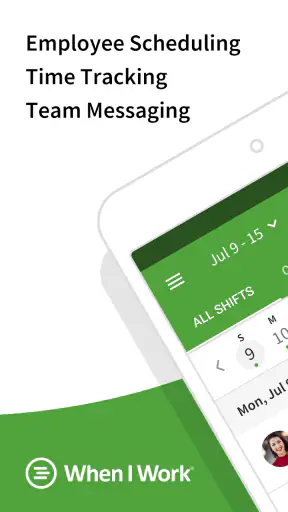
Running a team schedule sounds simple until availability changes, someone forgets a shift, and a manager has to answer the same question in several different chats. I tested When I Work Team Scheduling with that everyday problem in mind. It is a business app from When I Work, Inc. that brings scheduling, team messages, time tracking, and shift attendance into one place. My overall impression is that it works best as a practical control center for hourly teams, especially when the main challenge is keeping people aligned rather than building complicated workforce forecasts.
The app is free to use, aimed at Everyone, and has been around since Jul 13, 2010. Its current version is 14.7-1761 and it requires OS 11 or later. Those details matter if you are deciding whether an older phone can run it, but the more important question is whether your workplace needs a shared schedule that employees can check without constantly contacting a supervisor.
From an empty schedule to a completed shift
The starting condition: turning availability into a workable plan
I would begin with a familiar situation: a small café, shop, salon, cleaning crew, or service business has several employees, changing availability, and a manager who needs to cover specific hours. The old approach is usually a spreadsheet, a paper noticeboard, or a collection of messages. Those methods can work for a very small group, but they become fragile as soon as a person swaps a shift or a manager edits the plan after it has been shared.
When I Work is useful because it treats the schedule as the central record. Instead of sending each employee a separate message, the manager can organize shifts in the app and give the team one place to check. That sounds like a small change, but it reduces the chance that one person is working from an outdated screenshot while another is following a newer message.
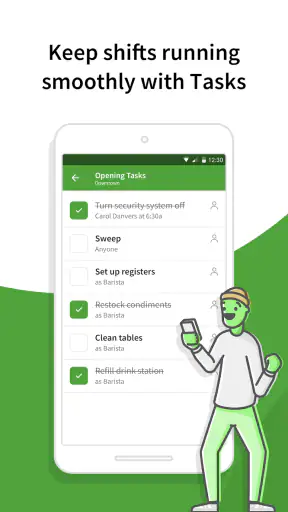
The first practical decision is how much structure the business actually needs. A team with regular opening and closing duties can benefit from reusable scheduling templates. I would not create every shift from scratch if the same roles repeat each week. A template can provide a starting point, while the manager still adjusts people and times when holidays, leave, or unusual demand changes the plan.
That workflow is particularly helpful for businesses with recurring patterns but not perfectly fixed timetables. A manager can start with the normal arrangement, then focus attention on exceptions. In my experience, that is a better use of time than rebuilding an entire schedule just because one employee is unavailable on a particular day.
Building the schedule without losing the human details
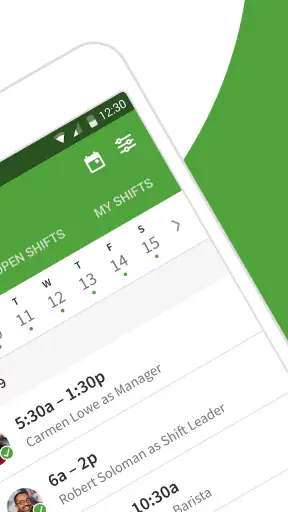
Once the basic pattern is ready, the real work is assigning people to the right shifts. This is where I found the app more useful than a basic calendar. A calendar can show appointments, but it does not naturally communicate that a particular person is expected to cover a work period or that the team needs to acknowledge a change.
I would use the schedule to separate the operational questions: who is working, when they are working, and what the rest of the team needs to know. Keeping those details together makes the plan easier to inspect before it goes out. It also gives the manager a chance to notice obvious gaps instead of discovering them when the shift is about to start.
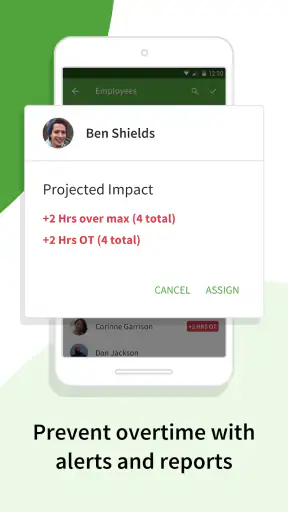
There is a useful trade-off here. A shared app makes the plan visible, but it does not remove the manager’s responsibility to check whether the assignment is sensible. The software can organize information; it cannot understand every local rule, skill requirement, personality clash, or last-minute business priority. I would still review the completed schedule as a human document before relying on it.
For employees, the important benefit is clarity. They can open the app and see their assigned work rather than searching through a long conversation. That is especially valuable for part-time workers whose hours vary from week to week. It also helps reduce the awkward situation where an employee says they never saw an update and the manager has to reconstruct what happened.
The step-by-step flow: publish, communicate, and adjust
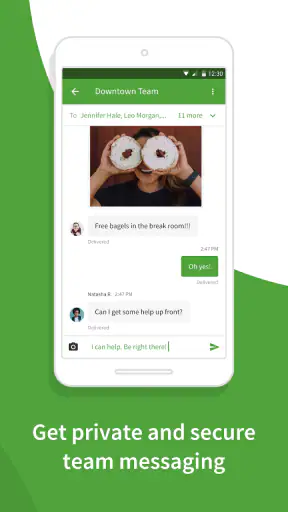
After the schedule is prepared, messaging becomes the next part of the workflow. The built-in team messaging tools are not a replacement for every communication platform, and I would not treat them as a general-purpose social chat. Their value is more focused: they keep schedule-related conversations close to the schedule itself.
For example, a manager can explain a change in opening duties, remind the team about a shift adjustment, or clarify an operational detail without scattering the message across personal phones. Employees can then connect the message with the relevant work plan. That context is the difference between “please remember tomorrow” and a message that clearly relates to a particular scheduled responsibility.
A good habit is to use messages for information that affects the shift, not for every casual conversation. If the app becomes a stream of unrelated chatter, the useful instructions become harder to find. I would keep announcements concise and make the schedule the source of truth, using messages to explain changes rather than replacing the schedule with paragraphs of text.
When an adjustment is needed, the manager should update the schedule first and communicate the reason second. That order prevents a common handoff mistake: an employee reads a message but the official shift still shows the old time. The app is strongest when the schedule and the conversation support each other instead of competing.
Handoffs between managers and employees
The handoff is where scheduling tools prove their value. A manager creates the plan, employees review it, and the person arriving for work needs to know that the latest version is the one to follow. When I Work gives that process a shared home, which makes it more dependable than a handwritten list passed from one person to another.
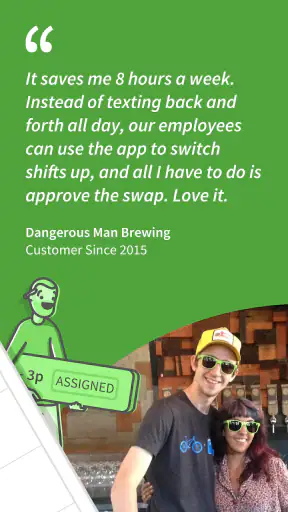
I would pay special attention to shift changes. If an employee cannot attend, the manager needs a clear way to understand what has changed and who is expected to take responsibility. Even when the app makes the information easier to manage, the team still needs a workplace rule for approving swaps and communicating urgent absences. The software supports the handoff; it does not replace the policy behind it.
This is one of the app’s less obvious strengths: it can reduce the number of informal handoffs. Instead of one supervisor telling another supervisor, who tells an employee, who tells a colleague, the schedule can remain visible to the relevant people. Fewer verbal relays mean fewer opportunities for a time or date to be misremembered.
There is also a useful distinction between a message being sent and a shift being understood. I would not assume that a notification alone guarantees attendance. For important changes, managers should make the updated assignment clear and encourage employees to check the schedule regularly. The app improves visibility, but teams still need habits.
Time clock and attendance: connecting the plan to what happened
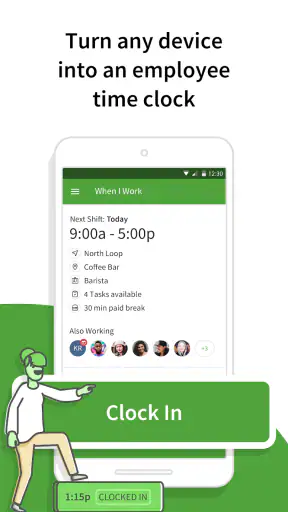
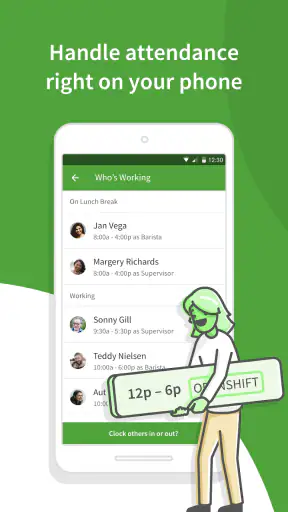
The time clock and shift attendance functions extend the workflow beyond planning. A schedule describes what should happen; attendance information helps the manager review what actually happened. That connection is valuable for hourly workplaces where punctuality, coverage, and completed shifts matter every day.
I see this as more useful than keeping a schedule in one tool and attendance notes in another. When those records are separated, a manager may have to compare them manually. A combined workflow makes it easier to notice the difference between an assigned shift and the team’s real attendance, then follow up while the details are still fresh.
That does not mean the time clock solves every payroll or compliance need. I would treat it as an operational record and check whether it fits the business’s existing payroll process before making it the only source for payment decisions. Different workplaces have different rules for breaks, corrections, approvals, and rounding, so the manager should understand how the app’s records fit into those procedures.
A practical routine would be to review attendance after busy periods rather than waiting until the end of a long pay cycle. A late arrival or missed punch is easier to clarify on the same day. This is a concrete way to use the app proactively instead of opening it only when there is a dispute.
The result: less chasing, clearer accountability
When the full process works, the outcome is not merely a prettier calendar. The manager has a repeatable path from staffing needs to published shifts, messages, attendance, and follow-up. Employees have a more direct way to see what they are expected to do. The team spends less time asking which version of the schedule is current.
That result is most noticeable in workplaces where people do not share the same desk or work hours. A retail employee may check the schedule before leaving home, while a manager may update coverage during a busy day. A mobile-first workflow suits that reality better than a schedule that only exists on a computer in the back office.
The app’s popularity supports that practical appeal. It has passed one million installs, with a 4.7 average from around 76 thousand ratings and about 17 thousand written reviews. I would not treat popularity as proof that it fits every business, but it does suggest that the basic scheduling problem is broad and that many users find the approach worthwhile.
The price also lowers the barrier to trying it: the app is free. That makes it easier for a small team to test the workflow before committing money to a more elaborate workforce platform. Still, “free” should not be confused with “effortless.” The manager must set up the team, define a consistent process, and make sure employees actually use the app.
Where the flow breaks: realistic friction points
The first weak point is adoption. If half the team checks the app while the other half relies on text messages, the business ends up with two competing systems. That is not a fault unique to this product, but it is a serious practical limitation. I would introduce one clear rule: the published schedule is official, and any change must be reflected there.
The second weak point is complexity. When a business needs advanced forecasting, deep payroll administration, detailed labor compliance controls, or highly specialized workforce planning, a dedicated enterprise platform may be a better choice. When I Work is easier to understand than a large system, but that simplicity may feel limiting to organizations with unusually complicated operations.
The third issue is the risk of overloading the schedule with exceptions. Templates are helpful when the underlying pattern is stable. They become less helpful if every week is radically different or if managers keep making manual changes without reviewing the complete result. In that case, the template can create false confidence. I would use templates for recurring structure, not as a substitute for checking the actual staffing plan.
There can also be friction around attendance corrections. A time clock records an event, but real workplaces sometimes need explanations, approvals, or adjustments. Managers should establish who reviews discrepancies and how employees report mistakes. Without that step, the app may preserve the disagreement without resolving it.
Another limitation is that a scheduling app cannot fix poor communication culture by itself. If managers publish changes at the last possible moment, or employees rarely check their phones, the workflow remains stressful. The best results come when the team agrees on when schedules are normally reviewed and how urgent changes are handled.
Who should use it, and who should look elsewhere?
I would recommend this app to small and midsize hourly teams that need a shared schedule, practical messaging, and a connection between planned shifts and attendance. It is a particularly good fit for cafés, stores, salons, hospitality teams, cleaning services, and other workplaces where coverage changes often but the scheduling process does not require a large administrative suite.
It is also a sensible option for a manager moving away from spreadsheets. The transition is easier to justify when the main pain is duplicated messages, unclear shift changes, or uncertainty about who was expected to work. The app addresses those problems directly instead of adding unrelated business machinery.
I would be more cautious if your organization already has a sophisticated human-resources or payroll platform and expects scheduling to live inside that system. Adding a separate app can create another place to maintain employee information and another workflow to reconcile. In that situation, the integrated option may be better even if its scheduling interface feels less focused.
Likewise, a very small team with identical hours every week may not need a dedicated scheduling app at all. A shared calendar or simple noticeboard could be enough. The value here grows with changing availability, multiple shifts, and the need to connect communication with attendance.
My practical setup advice
If I were introducing When I Work to a team, I would start with one complete scheduling cycle rather than trying to configure every possible scenario. I would create the recurring pattern, add the current exceptions, publish it, and ask employees to verify their own shifts. That exposes misunderstandings early and gives the manager a chance to refine the process.
I would also keep the messaging standard simple. Put the change in the schedule, then use a short message to point people toward it. Avoid writing a substitute schedule inside a chat. This small discipline makes later handoffs much easier because the team knows where to look for the authoritative time and assignment.
For attendance, I would decide in advance who checks the records and when. A daily review may suit a busy service team, while another workplace may review at the end of each work period. The important point is to turn the time clock into a routine, not an emergency tool opened only after someone questions a shift.
Finally, I would explain what employees should do when something goes wrong. They need to know whether to message a manager, request a change through the scheduling process, or report a missed clock action. Clear expectations prevent the app from becoming another source of uncertainty.
My verdict after following the whole workflow
When I Work Team Scheduling succeeds because it focuses on the complete path from staffing plan to real attendance. Its scheduling templates help with repeatable work, team messaging keeps operational communication nearby, and the time clock adds a useful link between assigned shifts and actual participation. I especially like the reduction in informal handoffs: fewer separate lists and fewer chances for an employee to follow an obsolete version.
It is not the right answer for every organization. Teams with advanced workforce-planning needs may outgrow its straightforward approach, while very tiny teams may find a shared calendar sufficient. The app also depends heavily on consistent adoption and sensible management habits. No scheduling tool can compensate for unclear policies or last-minute communication.
For the right audience, though, I would recommend giving it a serious trial. The free price makes experimentation practical, the Everyone age rating keeps it broadly accessible, and the long-running product from When I Work, Inc. has earned a strong reception. If your current process involves spreadsheets, scattered messages, and uncertainty about attendance, this app offers a cleaner everyday workflow without forcing you into an unnecessarily heavy system.


